
What is in the file
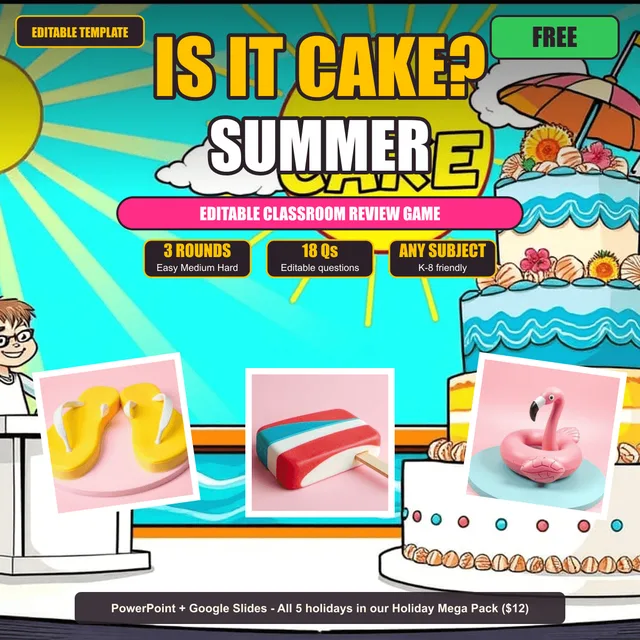
Is It Cake? - Summer Edition - Editable Classroom Review Game. Netflix-inspired classroom review game. Reskin the proven mechanic with hyperrealiztic summer-themed cakes for any subject.
This edition is FREE. Try the proven Is It Cake formula in your classroom for free, then come back for the other four holidays whenever you need them.
HOW IT PLAYS
Split the class into three teams. Each round runs in two parts.
Part one: questions. Six editable questions. Any team can buzz in. Each correct answer earns one guess for that team. After Q6, the leaderboard locks in.
Part two: the cake reveal. Six summer-themed numbered items appear on the stage. ONE is a real cake. FIVE are not. The leading team picks first and gets up to three guesses. Second place gets two. Third place gets one. Click a number. Wrong = NOT CAKE! Right = IT'S CAKE! and that team scores the round.
Three rounds. Highest total wins. Game time: 30 to 45 minutes.
WHAT IS INCLUDED
- Editable PowerPoint file (.pptx), 55 slides total
- Google Slides version (copy link included, no extra setup)
- 3 themed rounds: EASY, BEACH GEAR, MEDIUM, POPSICLE STAND, HARD, POOLSIDE
- 18 editable question and answer pairs (6 per round)
- Hyperrealiztic cake artwork in every round (1 real cake + 5 themed fakes)
- Team Roster with 3 holiday-themed teams: TEAM SUNSHINE, TEAM WAVES, TEAM POPSICLES
- Built-in click navigation: every numbered cake is a button
- Disappear-on-click animations: wrong guesses stay grayed out
- IT'S CAKE! reveal slide and NOT CAKE! reaction slide for every round
- Live editable Scoreboard, Final Scoreboard, Victory, and Credits slides
WANT THE WHOLE HOLIDAY COLLECTION?
WHAT YOU TYPE IN, THE GAME PLAYS BACK
- Math facts, word problems, fraction review
- Vocabulary, spelling, sight words, figurative language
- Science definitions, states of matter, lab safety
- Social studies facts, state standards, civics
- Test prep for STAAR, SBAC, FAST, and other state assessments
- End of year cumulative review
- Any subject, any grade. If you can write a question, the game plays it.
Setup time: five minutes. Type your questions. Press F5. Play.
Works on: PowerPoint 2016 and newer, PowerPoint for Mac, and Google Slides.
Terms of Use: Single classroom, single teacher use. Do not share the file, post it online, or resell. You may edit the content as much as you want.
PowerPoint AND Google Slides, Platform Notes
This game works in both PowerPoint AND Google Slides, with one important platform difference to know about:
PowerPoint version (.pptx file in your download):
- All click-to-reveal animations work natively, auto-disappearing obstacles, letter-flip reveals, card-reveal effects, etc.
- Press F5 to enter presentation mode and play. Everything triggers automatically on click.
Google Slides version (copy link included):
- Google Slides does NOT preserve PowerPoint’s click-trigger animations when it converts a .pptx file. This is a Google Slides platform limitation, not specific to this game.
- The good news: all the click-to-navigate gameplay works perfectly in Google Slides presentation mode, clicking obstacles/cards/letters takes you to their question, clicking through to answers works, hyperlinks all fire normally. Only the “auto-disappear after cleared” visual feedback is missing.
- The Google Slides version includes a dedicated “How to Play in Google Slides” directions slide (slide 3) explaining how to track cleared items: a whiteboard checklist, the editable scoreboard slide, or just verbally (many teachers find this adds suspense).
- All scoreboard, team rosters, and editable text fields work identically in both versions.
Our recommendation: If you have PowerPoint, use the .pptx version for the smoothest experience with automatic animations. If you primarily use Google Slides, the click-to-navigate game flow works smoothly, you’ll just track cleared items separately on a whiteboard, which many teachers prefer because it keeps students more engaged in the strategy.
No email, no catch
Every free file here is the same file we use in our own classrooms. The download is the whole transaction. If it earns a spot in your room, a quick review on the listing helps other teachers find it, and following the store means you hear about the next one first.